

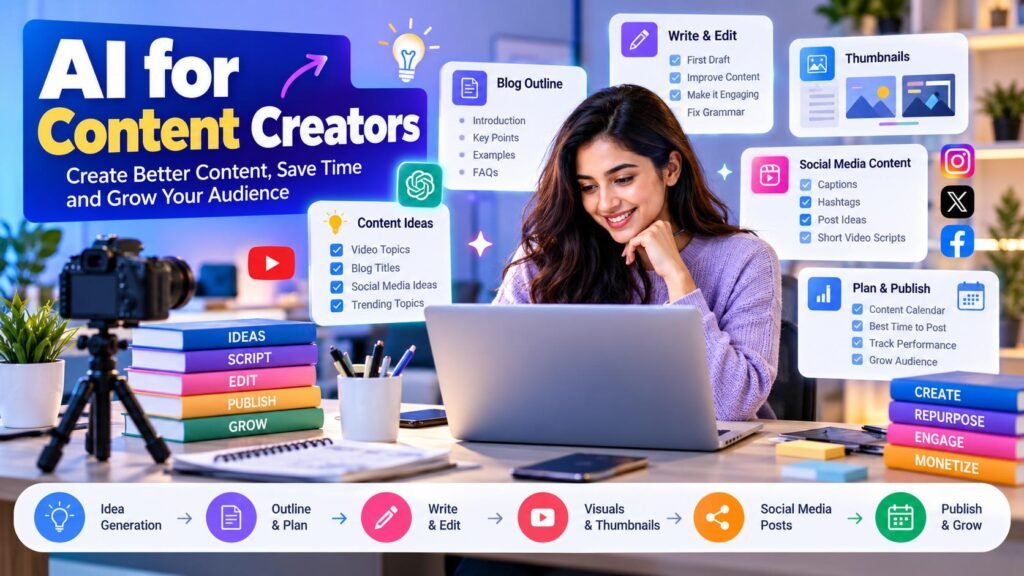
AI is changing the way creators plan, write, and publish content. Whether you create YouTube videos, Instagram posts, blog articles, or social media content, AI can help you generate ideas, save time, and build a more consistent content strategy.
With the right approach, AI for content creators can simplify repetitive tasks while leaving room for your own creativity, experience, and unique voice.
In this guide, you will learn practical ways to use AI for content creation, how to build a simple workflow, and how to create useful content without depending entirely on automated tools.
Table of Contents
ToggleWhat Is AI Content Creation?
AI content creation means using artificial intelligence tools to assist with tasks such as brainstorming, researching, outlining, drafting, editing, and repurposing content.
For example, a creator can use AI to generate video topics, organize a blog outline, suggest social media captions, or turn a long article into several short posts.
AI works best as a creative assistant. You should review its suggestions, verify factual claims, and add your own knowledge and personality before publishing.
7 Practical Ways to Use AI for Content Creators
1. Generate Fresh Content Ideas
Coming up with new ideas regularly can be challenging. AI can help you brainstorm topics based on your audience, niche, and content goals.
You can ask it to suggest beginner-friendly topics, answer common audience questions, or develop a series of related posts.
Example prompt:
“Suggest 15 useful YouTube video ideas for beginners interested in digital marketing. Include the audience’s main problem and a practical takeaway for each idea.”
Choose ideas that match your audience’s actual needs rather than publishing every suggestion.
2. Create Better Content Outlines
Before writing a blog post or recording a video, create a clear outline. AI can organize your topic into sections and help identify questions that your content should answer.
For a blog article, you can request an introduction, logical headings, examples, and frequently asked questions. For a video, you can request a hook, key points, demonstrations, and a conclusion.
Example prompt:
“Create a detailed outline for a beginner’s guide to email marketing. Use clear headings, practical examples, and a logical structure.”
Review the outline and add original insights before moving to the writing stage.
3. Write and Improve First Drafts
AI can help you overcome a blank page by preparing a rough first draft. It can also simplify complicated sentences, improve paragraph flow, and suggest clearer explanations.
Use it as a starting point, not as a replacement for your judgment. Add personal examples, original analysis, and information that makes your content genuinely helpful.
Before publishing, check facts, remove repetitive sections, and make sure the article answers the reader’s question.
4. Create Engaging Social Media Content
Creators often need different formats for different platforms. AI can help adapt one topic into captions, short posts, video hooks, and audience questions.
For example, a blog post about productivity could become an Instagram caption, a short video script, and a LinkedIn post.
Example prompt:
“Turn these three productivity tips into an Instagram caption with a strong opening, simple language, and a relevant call to action. Avoid exaggerated claims.”
Adjust the result to fit your platform, audience, and personal style.
5. Repurpose One Piece of Content
Content repurposing helps you get more value from work you have already completed. Instead of starting from scratch for every platform, use one useful piece of content as the foundation for several related formats.
For example, a long YouTube video might provide material for:
A blog article summarizing the main lessons.
Three short video scripts.
Several social media posts.
An email newsletter.
A checklist or downloadable resource.
You can explore this approach in our guide to the AI content creation workflow, which explains how to plan, create, optimize, and publish content more efficiently.
6. Improve Titles, Hooks, and Introductions
Your title and opening lines help people understand why your content is worth their time. AI can suggest alternative titles, stronger hooks, and clearer introductions.
Ask for multiple options with different approaches, such as educational, curiosity-driven, or problem-solving.
Example prompt:
“Suggest 10 clear and compelling titles for a beginner’s article about saving time with AI. Keep them accurate, specific, and useful rather than using misleading clickbait.”
Choose the option that accurately represents the content. A catchy title should never promise something the article does not deliver.
7. Build a Consistent Publishing Schedule
Consistency becomes easier when you plan content in advance. AI can help you organize ideas into a weekly calendar and suggest a manageable publishing sequence.
For example, you could publish one detailed article, create two short posts from it, and share one practical tip later in the week.
Start with a schedule you can realistically maintain. Review performance and audience feedback before increasing your publishing frequency.
How to Build a Simple AI Content Creation Workflow
A repeatable workflow can help you move from an idea to published content without unnecessary delays.
Step 1: Define Your Audience
Identify who you want to help and what problem your content will solve. A specific audience makes it easier to choose relevant topics and examples.
Step 2: Research the Topic
Use reliable sources to understand the subject and identify common questions. AI can help organize research, but verify important facts using trustworthy references.
Step 3: Generate Ideas and an Outline
Ask AI for topic suggestions and a structured outline. Select the most relevant points and remove anything that does not support your main objective.
Step 4: Create the First Draft
Use the outline to develop your article, script, or post. Include real examples, clear explanations, and practical steps.
Step 5: Edit and Verify
Check accuracy, originality, readability, tone, and usefulness. Correct unsupported claims and add your own perspective.
Step 6: Optimize for the Platform
Format the content for its intended destination. A blog post needs clear headings, while a short video needs a concise script and a strong opening.
Step 7: Publish and Learn
Publish the content, observe audience responses, and review relevant performance metrics. Use those insights to improve your next piece.
Best Practices for Using AI to Create Content
To get better results from AI tools, follow these practical guidelines:
Provide clear instructions: Explain the audience, topic, format, tone, and desired outcome.
Add original value: Include your own experience, examples, analysis, or demonstrations.
Verify important information: Do not assume every AI-generated statement is correct.
Keep your authentic voice: Edit the result so it sounds natural for your brand and audience.
Avoid unnecessary repetition: Prioritize helpful information instead of producing content simply to publish more.
Respect rights and privacy: Use material you have permission to use, and avoid sharing confidential information in AI tools.
Review before publishing: Check grammar, links, formatting, factual accuracy, and the final presentation.
AI can make parts of content creation faster, but useful content still depends on understanding your audience and delivering real value.
Useful AI Workflows for Creators
Different content tasks benefit from different workflows. Explore these related guides to build a more organized process.
AI Content Creation Workflow
Learn how to research ideas, write engaging content, optimize for SEO, and publish more efficiently with AI.
AI YouTube Content Workflow
Discover how to plan video ideas, prepare scripts, create thumbnail concepts, optimize videos, and organize your YouTube publishing process.
AI Workflow for Beginners
Start with simple AI workflows that help organize everyday tasks, reduce repetitive work, and make your routine more efficient.
Frequently Asked Questions
Can beginners use AI for content creation?
Yes. Beginners can use AI to brainstorm topics, prepare outlines, improve drafts, and adapt content for different platforms. Start with one task and review the results before adding more tools.
Can AI create content for social media?
AI can help draft captions, generate post ideas, prepare short scripts, and suggest content variations. Review every result to ensure it fits your audience, platform, and brand voice.
Will AI replace content creators?
AI can automate or assist with some repetitive tasks, but creators still contribute judgment, personal experience, originality, storytelling, and audience understanding. Using AI effectively means combining its assistance with human creativity.
How can creators avoid generic AI content?
Give specific instructions, verify facts, include original examples, and edit the draft in your own voice. Focus on answering a real audience question rather than producing generic text.
Do I need paid AI tools to get started?
Not necessarily. You can begin with free versions of AI tools and identify which tasks genuinely benefit from them. Consider paid features only when they meet a clear need in your workflow.
Explore Digital Resources for Content Creators
Looking for resources to support your content creation and online growth? Explore our digital marketplace to discover useful eBooks, learning materials, business resources, and digital products that can help you develop your skills and improve your workflow.
Free Tools to Make Content Creation Easier
Create content more efficiently with free online tools for everyday digital tasks. Explore our Free Tools & Utilities page to discover helpful tools that can support your writing, social media content, text editing, and other online productivity needs.
Final Thoughts
AI for content creators can make brainstorming, drafting, editing, and repurposing more manageable. The key is to build a simple process that supports your creativity rather than allowing automation to determine everything you publish.
Start with one content task, experiment with a clear workflow, and improve it based on your experience and audience feedback.
Related Guides
Explore more practical guides to learn, work, and grow with AI.

AI content creation workflow
Learn how to research ideas, write engaging content, optimize for SEO, and publish more efficiently with AI.

AI YouTube Content Workflow
Discover how to plan video ideas, write scripts, create thumbnail concepts, and organize your YouTube publishing workflow with AI.

AI Workflow for Beginners
Learn how to organize everyday tasks and build a practical workflow with AI.