

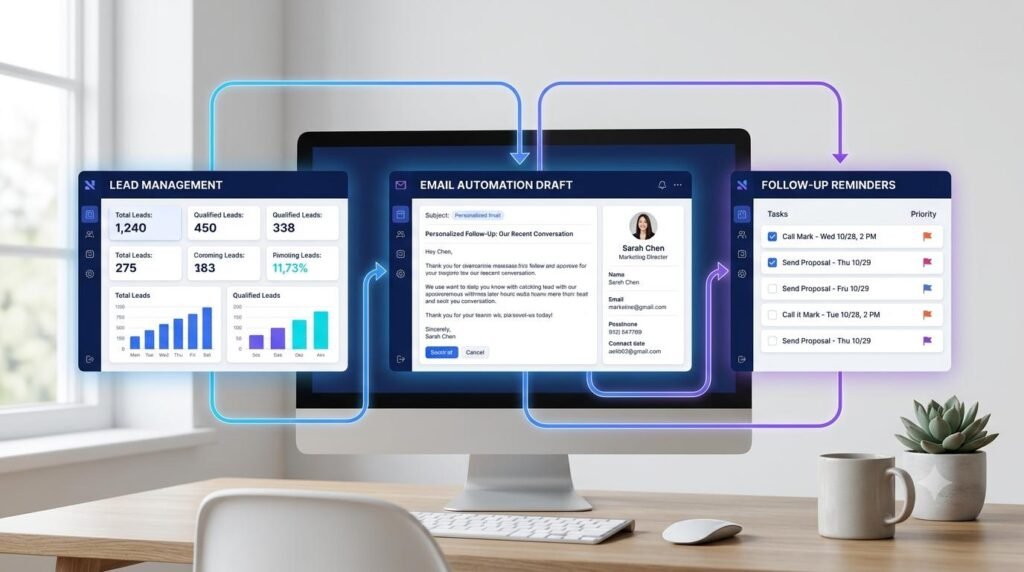
An AI business workflow helps you organize repetitive business tasks such as managing leads, drafting emails, tracking customer conversations, and planning follow-ups. Instead of handling every step manually, you can use AI tools to prepare information, suggest next actions, and create a more consistent process.
For small businesses, freelancers, consultants, and online entrepreneurs, a well-planned workflow can make everyday operations easier to manage. The key is to choose practical tasks, define clear steps, and review AI-generated work before taking action.
In this guide, you will learn how to build a simple AI business workflow in seven practical steps.
Table of Contents
ToggleWhat Is an AI Business Workflow?
An AI business workflow is a repeatable sequence of business tasks that uses artificial intelligence to support activities such as communication, planning, lead organization, and routine administration.
For example, when a potential customer contacts your business, you might record their details, identify their needs, draft a response, schedule a follow-up, and track the conversation. AI can assist with some of these steps, while you remain responsible for decisions, approvals, and customer relationships.
A simple business workflow looks like this:
Lead Received → Lead Organized → Email Drafted → Response Reviewed → Follow-Up Scheduled → Result Recorded
The exact process will depend on your business, customers, and tools.
Why Use AI in Everyday Business Operations?
AI can help reduce repetitive work and make information easier to organize. When used carefully, it can support several common business activities.
Lead organization: Categorize incoming inquiries using clear criteria.
Email drafting: Prepare first drafts of replies and follow-up messages.
Task management: Turn conversations into action items and reminders.
Customer communication: Adapt a message to a customer’s stated needs.
Information summaries: Condense long notes or conversations into key points.
Process documentation: Create checklists that team members can follow consistently.
AI is not a substitute for sound business judgment. Important communications, financial decisions, customer commitments, and sensitive information require appropriate human oversight.
Step 1: Identify One Repetitive Business Task
Begin with a task that takes time and follows a reasonably consistent pattern. Avoid trying to automate your entire business at once.
Good starting points include responding to routine inquiries, organizing incoming leads, preparing meeting summaries, or reminding yourself to follow up with prospective customers.
Write down the current process and identify where delays or repetitive work occur.
Ask yourself:
What triggers the task?
What information do I need?
Which steps happen every time?
Which decisions require human judgment?
What does a successful result look like?
Your output: One clearly defined business task to improve.
Step 2: Organize Incoming Leads
Lead management becomes easier when inquiries are recorded consistently. Depending on your business, useful fields may include the person’s name, contact details, inquiry date, service or product of interest, current status, and next action.
You can store this information in a suitable customer relationship management system or a properly secured spreadsheet.
AI can help summarize inquiry messages or suggest categories based on criteria you provide. Always check the classification, especially when it could affect pricing, eligibility, or customer treatment.
AI prompt for organizing leads
Help me organize these business inquiries using the following categories: [list categories]. For each inquiry, summarize the customer’s stated need, identify missing information, and suggest a reasonable next action. Do not invent customer details or make commitments. Flag anything that requires human review. Here are the inquiries: [insert appropriate, non-sensitive details].
Your output: A structured lead record with a clear next action.
Step 3: Draft Personalized Business Emails
Email is often one of the most repetitive parts of managing a business. AI can help prepare a first draft for inquiry responses, service introductions, meeting confirmations, and follow-up messages.
To get a useful result, provide the purpose of the email, the recipient’s relevant context, the desired tone, and the action you want the recipient to take.
Avoid sharing confidential customer information with tools that are not approved for that information.
AI prompt for a business email
Draft a professional email replying to a potential customer who has asked about [product or service]. Acknowledge their stated requirement, explain only the information provided below, and suggest one appropriate next step. Keep the message concise, helpful, and natural. Do not invent prices, promises, features, or deadlines. Business information: [insert approved details].
Review the draft for accuracy, tone, names, prices, links, and promises before sending it.
Your output: A personalized email draft ready for approval.
Step 4: Create a Consistent Follow-Up Process
Many business conversations require more than one message. A clear follow-up process helps you remember outstanding inquiries without sending unnecessary or unwanted messages.
Decide when a follow-up is appropriate, how many attempts your process allows, and when a conversation should be closed. Respect opt-outs and applicable communication and privacy rules.
A simple follow-up sequence could include:
Respond to the initial inquiry.
Record the date and next action.
Set a suitable reminder if a response is pending.
Send a relevant follow-up when appropriate.
Update the lead status based on the outcome.
AI prompt for a follow-up email
Draft a polite follow-up email for a potential customer who previously asked about [product or service]. The purpose is to check whether they need further information. Keep the message brief and respectful, avoid pressure or false urgency, and do not assume they have agreed to purchase. Previous conversation summary: [insert approved summary].
Your output: A relevant follow-up draft and a clearly recorded next action.
Step 5: Connect Your Tools Carefully
Once your process works manually, decide whether any steps should be connected through approved automation features.
Depending on your tools, a new inquiry might create a lead record, generate a task, or trigger a reminder. An AI assistant might summarize an inquiry or prepare an email draft for review.
Before connecting tools, check which information will be transferred, who can access it, and what happens if an action fails.
Start with low-risk steps such as creating reminders or organizing records. Require human approval before sending external messages, changing important customer records, issuing refunds, or making commitments.
Your output: A simple, documented process with clearly defined automation boundaries.
Step 6: Add Review and Quality Checks
A useful AI business workflow includes checks that help prevent errors. AI-generated text can contain incorrect details, unsuitable wording, or unsupported assumptions.
Before using the output, verify:
Customer names and relevant details.
Prices, dates, product features, and service terms.
Email tone and clarity.
Whether the proposed action is appropriate.
Whether sensitive information is handled correctly.
Whether the task was completed and recorded accurately.
For important business decisions, keep a human responsible for the final approval.
Your output: A more reliable workflow with clear review steps.
Step 7: Measure Results and Improve the Workflow
After using your workflow for a while, examine whether it is genuinely helping your business.
Useful measures may include the time spent processing inquiries, the number of outstanding follow-ups, response times, the frequency of errors, and customer feedback.
Compare results with your previous process where possible. Do not assume that every improvement is caused by AI; workload, customer demand, and other changes may also affect the outcome.
AI prompt for workflow review
Review this business workflow and identify possible bottlenecks, repeated manual tasks, and steps that may need clearer instructions. Suggest practical improvements and measurements to track. Do not assume that automation is always the best option. Current workflow: [describe the steps]. Observed issues: [insert observations].
Your output: A short improvement plan based on real business needs.
Example: A Lead-to-Follow-Up Workflow
Imagine a freelance web designer receives an inquiry from a potential client.
| Stage | Example task | Output |
|---|---|---|
| Lead received | Record the inquiry and service needed | Lead record |
| Lead organized | Identify missing project details | Information checklist |
| Email drafted | Prepare a relevant response | Email draft |
| Review | Check the scope and wording | Approved message |
| Follow-up | Set a reminder if needed | Scheduled task |
| Result recorded | Update the lead status | Current lead record |
Common AI Business Workflow Mistakes to Avoid
Automating an unclear process
If the steps are confusing when performed manually, automation may make the confusion harder to spot. Document the process before connecting tools.
Sending AI-generated emails without review
An inaccurate price, an incorrect name, or an unintended promise can harm customer trust. Review external communications before sending them.
Collecting unnecessary customer data
Only collect information that serves a legitimate business purpose. Use appropriate access controls and follow relevant privacy requirements.
Automating every decision
Some decisions need context, empathy, negotiation, or professional judgment. Keep human involvement where it matters.
Ignoring failed actions
An automation may fail, create duplicate records, or miss a reminder. Check the results and establish a way to identify and correct failures.
Measuring activity instead of results
The number of automated tasks is not necessarily a sign of business improvement. Focus on useful outcomes such as reduced administrative time, fewer missed follow-ups, and better communication quality.
Frequently Asked Questions
What is an AI business workflow?
It is a repeatable business process that uses AI to assist with tasks such as organizing information, drafting communications, summarizing records, and planning next actions.
Can a small business use AI workflows?
Yes. Small businesses can begin with straightforward tasks such as drafting routine emails, summarizing inquiries, and creating follow-up reminders. Start small and review the results before expanding the process.
Can AI automatically follow up with leads?
Some business tools support scheduled follow-ups and automated messaging. Configure these features carefully, respect communication preferences, and use human approval where appropriate.
Do I need coding skills to build an AI workflow?
Not necessarily. You can begin with manual AI prompts, templates, and task reminders. More advanced integrations may require no-code automation tools, technical setup, or developer support.
Is an AI business workflow suitable for every task?
No. AI is most useful when the task is clearly defined and the risks can be managed. Sensitive decisions, complex customer situations, and high-impact actions may require direct human handling.
Recommended Digital Resources for Your Business
Build a more organized digital business with useful resources for planning, marketing, and managing everyday work. Explore digital products that may support your business goals and help you develop practical skills.
Need a Free Tool for Your Business Tasks?
Explore free online tools and utilities that can help with everyday digital tasks, calculations, and content preparation. Choose tools that fit your workflow and make routine work easier to manage.
Final Thoughts
An AI business workflow can help you manage leads, prepare emails, organize follow-ups, and make repetitive work more consistent. The best starting point is one clearly defined task with measurable benefits.
Document the steps, use AI where it adds value, review important outputs, and improve the process based on actual results. A simple, reliable workflow is more useful than an elaborate automation that is difficult to manage.
Build a process that helps your business work better, while keeping customer trust and human judgment at the center.
Related Guides
Explore more practical guides to learn, work, and grow with AI.
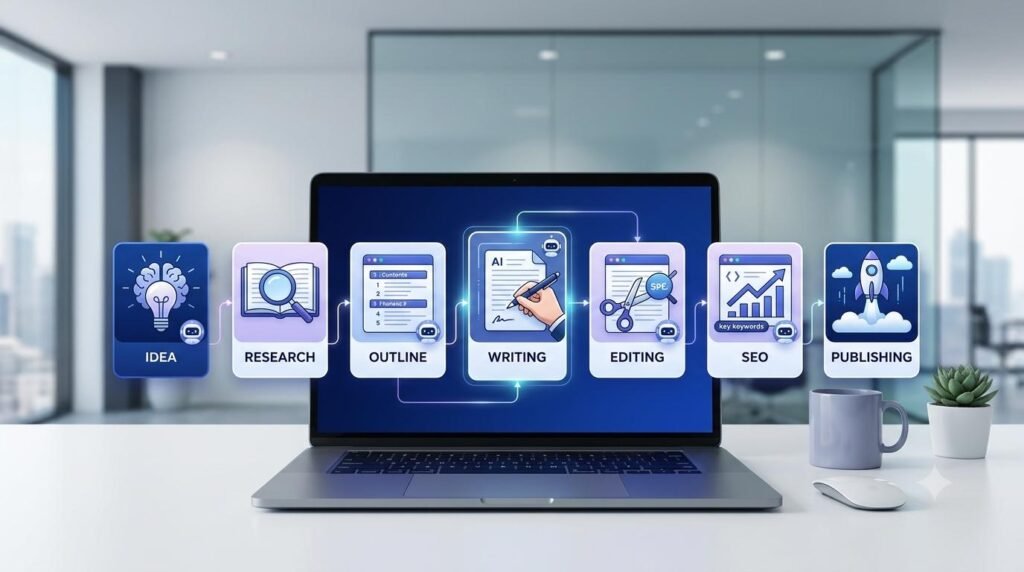
AI Content Creation Workflow: From Idea to Publishing
Learn how to build an AI content creation workflow to research ideas, write engaging content, optimize for SEO, and publish more efficiently.

AI Workflow for Beginners
Learn how to organize everyday tasks and build a practical workflow with AI.