

Content Creation Skills: A Practical Guide to Creating Better Digital Content
Content creation skills are useful for anyone who wants to communicate ideas, share knowledge, build an online presence, or grow a digital business. From writing blog articles and creating videos to designing graphics and publishing social media posts, content creation involves several abilities that work together.
You do not need expensive equipment or advanced software to get started. The important things are understanding your audience, communicating clearly, learning the right tools, and developing a consistent creative process.
This guide explains the essential content creation skills, practical ways to improve them, and how to build a repeatable workflow for creating useful digital content.
What Are Content Creation Skills?
Content creation skills are the abilities required to plan, produce, edit, and publish information in different formats.
These skills include:
Researching topics and generating ideas.
Writing articles, scripts, and captions.
Creating images and graphics.
Recording and editing videos.
Organizing content projects.
Understanding audience needs.
Publishing content on relevant platforms.
Reviewing performance and improving future content.
Content creators may specialize in one format or work across several formats depending on their goals.
Why Are Content Creation Skills Important?
Developing content creation skills can help you communicate ideas more effectively and create useful digital resources.
Build an Online Presence
Consistent and valuable content can help individuals and businesses establish a recognizable online presence.
Share Knowledge
Articles, videos, tutorials, and visual explanations make it easier to share information with an audience.
Support Digital Marketing
Useful content can help businesses explain their products, answer customer questions, and attract relevant visitors.
Develop Creative Confidence
Practicing writing, design, and video production can help you communicate ideas in different ways.
Create Digital Opportunities
Content creation skills can support blogging, freelancing, social media management, video production, and digital product businesses.
Essential Content Creation Skills to Learn
Content creation involves several connected skills. You can develop them gradually through regular practice.
Research and Idea Generation
Good content begins with understanding what your audience wants to learn.
Learn how to:
Identify audience questions.
Research relevant topics.
Explore different content angles.
Collect reliable references.
Organize ideas into categories.
Identify gaps in existing content.
Choose topics that match your audience’s interests and your own knowledge.
Writing and Communication
Writing skills help you explain ideas clearly and make your content easier to understand.
Practice:
Writing clear introductions.
Organizing information with headings.
Using simple and direct language.
Providing useful examples.
Writing engaging titles.
Editing sentences for clarity.
Adapting tone to your audience.
You do not need complicated vocabulary. Clear communication is usually more useful than unnecessarily complex writing.
Content Planning
Planning helps you maintain consistency and organize your creative work.
Learn to:
Prepare a content calendar.
Group related topics.
Set realistic publishing goals.
Organize ideas by priority.
Plan content formats.
Track completed and pending tasks.
A simple calendar or spreadsheet can be enough to get started.
Graphic Design
Visual content helps communicate information and makes digital publications more engaging.
Useful design skills include:
Choosing readable fonts.
Using consistent colors.
Creating balanced layouts.
Preparing featured images.
Designing social media graphics.
Creating video thumbnails.
Organizing visual information.
Focus on readability, relevance, and consistency rather than adding too many decorative elements.
Video Creation and Editing
Video skills are useful for tutorials, product demonstrations, interviews, educational content, and social media videos.
Learn the basics of:
Preparing a video outline.
Recording clear audio.
Framing video shots.
Editing unwanted sections.
Adding captions and titles.
Organizing clips.
Exporting videos for different platforms.
Start with simple videos and improve your editing skills through practice.
Social Media Content Creation
Social media content requires an understanding of the platform, audience, and content format.
Practice creating:
Short posts.
Captions.
Carousel graphics.
Short-form videos.
Educational tips.
Visual announcements.
Content repurposed from longer articles.
Adapt each piece of content to the platform instead of publishing identical material everywhere.
Different Types of Digital Content
Understanding content formats helps you choose the best way to communicate an idea.
Blog Articles
Blog articles are useful for detailed explanations, tutorials, guides, reviews, and educational resources.
YouTube Videos
Videos can demonstrate processes, explain concepts, share opinions, and provide visual tutorials.
Social Media Posts
Short posts and graphics can communicate quick tips, updates, and useful information.
Infographics
Infographics present information through visual elements such as charts, diagrams, icons, and short explanations.
Email Newsletters
Newsletters help creators share updates, educational content, resources, and announcements with subscribers who have opted in.
Digital Guides and eBooks
Guides and eBooks organize detailed information into downloadable resources that readers can use at their own pace.
Choose the format that best suits the subject and the audience.
Useful Tools for Content Creation
Digital tools can support different stages of the creative process.
Writing and Editing Tools
Use writing applications to prepare drafts, organize documents, review grammar, and edit content.
Graphic Design Tools
Design applications can help create thumbnails, featured images, presentations, and social media graphics.
Video Editing Tools
Video editors can help trim footage, organize clips, improve audio, and prepare videos for publishing.
Research Tools
Research applications can help collect references, organize notes, and understand audience questions.
Content Planning Tools
Calendars, spreadsheets, and project management applications can help organize ideas and publishing schedules.
AI-Assisted Tools
AI applications can support brainstorming, outlining, drafting, summarization, and content organization.
Choose tools according to your needs, budget, compatibility, and privacy requirements. You do not need to use every available application.
How AI Can Support Content Creation
AI can assist with several content creation activities, but the final result should always receive human review.
Generate Content Ideas
Ask AI to suggest topic ideas based on your audience, subject, and publishing goals.
Prepare Outlines
Use AI to organize a topic into headings, subheadings, and supporting points.
Draft and Improve Writing
AI can help prepare first drafts, rewrite unclear sentences, and suggest alternative headlines.
Organize Video Scripts
Use AI to structure video introductions, main points, examples, and conclusions.
Repurpose Existing Content
A detailed article can become the starting point for a newsletter, social media post, or video outline.
Create Content Calendars
AI can help organize topic ideas into a draft publishing schedule.
Review all generated content for accuracy, originality, relevance, and your own voice before publishing.
Build a Simple Content Creation Workflow
A repeatable workflow makes it easier to manage content projects.
Step 1: Understand Your Audience
Identify who you are creating content for and what information they need.
Step 2: Select a Topic
Choose a useful topic that matches your audience and content goals.
Step 3: Research the Subject
Collect reliable information, examples, and supporting references.
Step 4: Prepare an Outline
Organize the main ideas into a clear structure.
Step 5: Create the Content
Write the article, record the video, or design the visual material.
Step 6: Edit and Review
Check clarity, accuracy, formatting, audio, and visual quality.
Step 7: Prepare for Publishing
Create the title, description, images, captions, and other required details.
Step 8: Publish and Promote
Share the content through relevant platforms and channels.
Step 9: Review Performance
Study audience engagement and identify opportunities to improve future content.
You can adapt this workflow to blog articles, videos, newsletters, and social media projects.
How to Improve Your Content Creation Skills
Improvement comes from regular practice and useful feedback.
Practice One Format at a Time
Start with one content format, such as blog writing or short videos. Learn its basic requirements before adding more formats.
Study Good Examples
Observe how experienced creators organize information, explain concepts, and present visual material.
Develop Your Own Style
Use your own perspective, examples, and communication style to make your work recognizable.
Learn Basic Editing
Editing helps remove unnecessary information, improve readability, and make content more useful.
Ask for Feedback
Feedback from readers, viewers, or collaborators can reveal areas that need improvement.
Review Your Results
Understand which topics and formats are useful to your audience. Use that information to guide future projects.
Common Content Creation Mistakes to Avoid
Avoid these mistakes when developing your skills:
Creating content without understanding the audience.
Publishing without checking facts.
Using unclear titles and introductions.
Ignoring spelling and formatting.
Adding unnecessary visual elements.
Copying other creators instead of developing original ideas.
Publishing inconsistently without a realistic plan.
Using AI-generated material without review.
Ignoring copyright and image usage rights.
Focusing only on views instead of audience value.
Good content should be useful, clear, relevant, and responsibly created.
A Simple 30-Day Content Creation Learning Plan
You can develop your skills through a manageable four-week learning plan.
Week 1: Research and Planning
Choose a topic area.
Identify your intended audience.
Research common questions.
Prepare ten content ideas.
Organize them into categories.
Week 2: Writing and Communication
Practice writing short articles.
Create clear introductions.
Use headings to organize information.
Edit your drafts.
Prepare one complete article.
Week 3: Design and Video Basics
Practice creating a simple graphic.
Prepare a featured image.
Write a short video script.
Record a basic video.
Learn simple editing techniques.
Week 4: Publishing and Improvement
Prepare a publishing checklist.
Publish or preview your content.
Share it through a relevant channel.
Review feedback and performance.
Identify skills to improve next.
Adjust the plan according to your available time and experience.
Frequently Asked Questions
What are the most important content creation skills?
Research, writing, communication, planning, design, video editing, and understanding your audience are among the most useful content creation skills.
Can beginners learn content creation?
Yes. Beginners can start with simple articles, social media posts, or short videos and gradually develop more advanced skills.
Do I need expensive equipment for content creation?
No. You can begin with basic equipment and free or affordable software. Upgrade when your actual requirements increase.
Can AI help with content creation?
Yes. AI can assist with brainstorming, outlining, drafting, editing suggestions, and content planning. Human review is still important.
How can I become better at content creation?
Practice regularly, study useful examples, improve your writing and editing, understand your audience, and review feedback.
Which content format should I learn first?
Choose a format that matches your interests and goals. Blog writing, short videos, and social media posts are practical starting points.
Is content creation a useful digital skill for freelancing?
Yes. Writing, graphic design, video editing, and social media content skills can support different freelance services.
Final Thoughts
Content creation skills help you communicate ideas, share knowledge, and develop useful digital resources. Start with the basics, practice one format at a time, and gradually improve your research, writing, design, and editing abilities.
You do not need to master every tool or platform. Focus on understanding your audience, creating valuable content, and building a process you can follow consistently.
Explore more practical digital skills guides on Prernaa to strengthen your knowledge, improve your creative abilities, and grow with confidence online.
Related Guides
Explore practical guides to improve your content creation, develop creative skills, and organize your digital work.
Artificial Intelligence Skills
Learn how to use AI tools for research, writing, brainstorming, productivity, and everyday problem-solving.
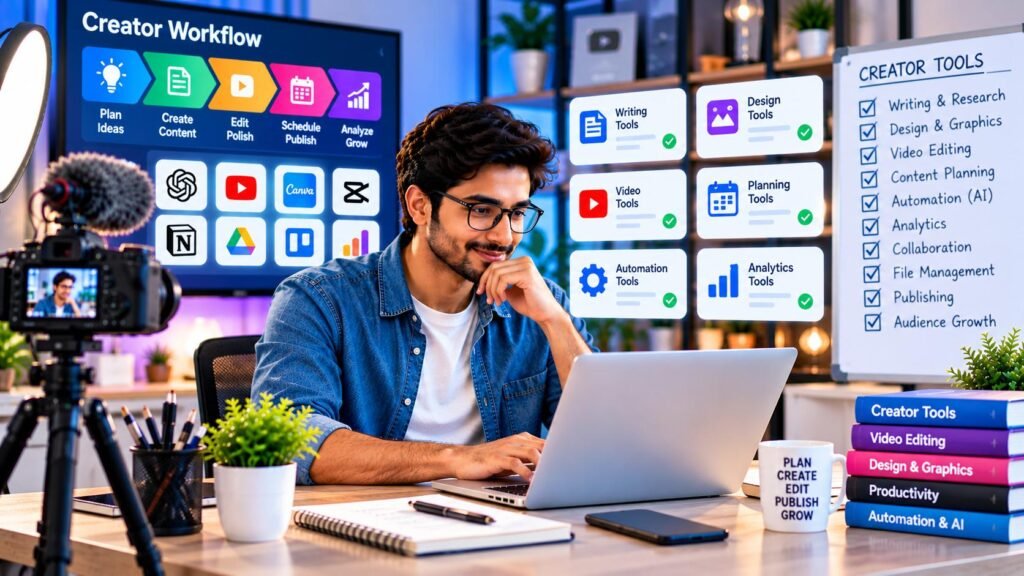
Creator Tools and Workflows
Explore useful digital tools and practical workflows for writing, research, video planning, and content organization.

YouTube Content Strategy
Discover practical guidance for planning videos, generating topic ideas, writing scripts, improving titles, and building a consistent YouTube workflow.

Social Media Content
Learn to plan social media posts, develop captions, repurpose existing content, and organize a repeatable content calendar.

Content Planning and Productivity
Discover ways to manage ideas, organize projects, maintain a publishing schedule, and improve everyday productivity.

Digital Marketing Skills
Explore SEO, content marketing, social media marketing, email marketing, and online audience development.