

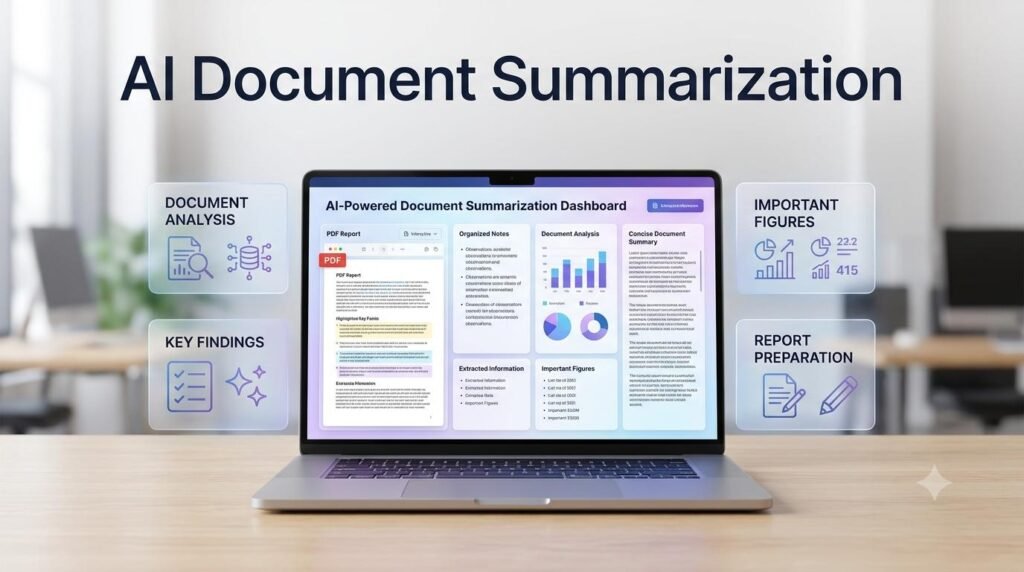
Reading lengthy documents, reports, PDFs, and business files can take considerable time, especially when you need to identify specific information or prepare a clear summary. An AI Document Summarization workflow can help you understand long documents, extract important points, organize information, and prepare useful summaries more efficiently.
Whether you are a student, freelancer, business owner, researcher, or working professional, AI can support different stages of document review. In this practical guide, you will learn how to summarize documents with AI, extract key information, review important details, and create a repeatable workflow while maintaining control over accuracy and confidentiality.
Table of Contents
ToggleWhat Is AI Document Summarization?
AI document summarization is the use of artificial intelligence to analyze document content and produce a shorter version that highlights its main information.
Instead of manually reading every section before understanding the overall document, you can ask an AI assistant to identify important topics, key findings, decisions, explanations, and relevant details.
AI can help summarize:
Business reports
Research papers
PDF documents
Meeting reports
Project documents
Educational material
Long articles
Policy and procedure documents
The type of summary depends on the document and your objective. A quick overview, an executive summary, and a detailed section-by-section summary serve different purposes.
Why Use AI to Summarize Documents?
You can ask AI to identify key findings, dates, figures, recommendations, and important statements from the supplied document.
3. Understand Complex Content
AI can help explain difficult sections in simpler language while preserving the original meaning.
4. Organize Information into Useful Formats
Instead of receiving only a paragraph summary, you can request bullet points, comparison tables, topic-based notes, or structured reports.
5. Support Better Document Review
AI can help identify unanswered questions, missing details, and sections that may require further examination.
Remember that an AI-generated summary is a starting point, not a replacement for reviewing important original information.
How to Build an AI Workflow for Summarizing Documents
Follow these steps to create a practical document summarization process.
Step 1: Define Your Summarization Goal
Before uploading or sharing a document, decide what information you need.
For example, you may want:
A short overview of the entire document.
A detailed summary of each section.
Important findings and conclusions.
A list of decisions and recommendations.
Specific dates, figures, or requirements.
Questions that need further investigation.
A clear objective helps AI produce a more useful result.
Example Prompt:
“I have a long business report that I need to review. My goal is to understand its main findings, important recommendations, risks, and conclusions. Suggest a suitable summarization structure before analyzing the document.”
Step 2: Prepare the Document
Check the document before providing it to an AI assistant.
Consider the following:
Is the file readable?
Are the pages in the correct order?
Is the text selectable or is it a scanned document?
Are tables, charts, and images important to the analysis?
Does the document contain confidential information?
If the document is scanned, you may need OCR or a tool that can process its pages visually.
Only upload documents when you have permission to use the selected AI service for that information. Follow your organization’s privacy and data-handling policies.
Step 3: Generate an Initial Document Summary
Start with a general summary to understand the document’s overall purpose and content.
Example Prompt:
“Read the supplied document and create a clear summary. Include its main purpose, important topics, key findings, and overall conclusion. Use simple professional language. Preserve important facts and figures, and do not introduce information that is not present in the document.”
Review the result to see whether the AI has understood the document correctly.
Step 4: Extract Important Information
A general summary may not include every detail you need.
Ask AI to extract specific information into separate sections.
Example Prompt:
“Review the supplied document and extract the following information:
Main findings
Important facts and figures
Key dates
Recommendations
Risks or limitations
Unresolved questions
Use bullet points and preserve the original meaning. If information is missing, write ‘Not specified’. Do not guess.”
This makes it easier to locate important information without repeatedly searching the entire document.
Step 5: Summarize Individual Sections
For lengthy or complicated documents, summarizing one section at a time can provide better control.
Ask AI to organize each section separately.
Example Prompt:
“Summarize each section of the supplied document separately. For every section, provide its heading, main purpose, important points, and any relevant figures or conclusions. Preserve important details and identify sections that require further review.”
Compare the section summaries with the original document to ensure that nothing important has been misunderstood.
Step 6: Convert the Summary into a Useful Format
The best summary format depends on how you intend to use the information.
You can request:
Bullet-point summaries
Executive summaries
Comparison tables
Action-item lists
Study notes
Project briefs
Question-and-answer notes
Example Prompt:
“Convert the document summary below into a structured table with these columns: Topic, Main Information, Important Details, and Follow-Up Required. Use only information supported by the original document.”
Choose a format that makes the information easy to review and share.
Step 7: Verify Important Details
AI may omit information, misunderstand technical language, or incorrectly interpret figures and statements.
Check important details against the original document, especially:
Names and dates
Financial figures
Statistics and percentages
Contractual terms
Technical specifications
Recommendations
Important conditions and exceptions
For legal, financial, medical, and other high-impact documents, do not rely on an AI summary as a substitute for qualified professional review.
Step 8: Prepare the Final Summary
After verifying the information, ask AI to prepare the final document summary.
Example Prompt:
“Create a final structured summary using the verified information below. Include an overview, main points, important findings, recommendations, limitations, and conclusion. Keep the language clear and professional. Do not add unsupported claims or remove important qualifications.”
Save the final summary with the original document so that you can refer to both when needed.
A Practical AI Document Summarization Workflow Example
Imagine a small business owner receives a lengthy market research report and needs to understand its main findings before a planning meeting.
The workflow could look like this:
| Stage | Activity |
|---|---|
| Goal | Identify the report’s main findings |
| Preparation | Check the document and file quality |
| Initial Summary | Understand the overall report |
| Extraction | Collect important figures and recommendations |
| Section Review | Summarize relevant sections |
| Verification | Check important claims against the original |
| Final Output | Prepare a concise business summary |
This process helps turn a lengthy report into organized information that is easier to review and discuss.
Useful AI Prompts for Document Summarization
You can reuse these prompts for different document types.
Prompt 1: Short Document Summary
“Summarize the document below in clear and simple language. Include its purpose, main topics, important findings, and conclusion. Preserve essential details and avoid unsupported information.”
Prompt 2: Detailed Section Summary
“Summarize the document section by section. Include each section’s purpose, important points, key facts, and conclusions. Keep the original structure wherever possible.”
Prompt 3: Extract Key Information
“Extract important facts, figures, dates, names, recommendations, and conditions from this document. Organize the information into clearly labelled sections. Mark missing information as ‘Not specified’.”
Prompt 4: Create an Executive Summary
“Prepare a professional executive summary of the supplied document. Highlight its purpose, most important findings, business implications, recommendations, and limitations. Keep the summary concise and accurate.”
Prompt 5: Explain Complex Information
“Explain the selected section of this document in simple language. Preserve technical meaning, define important terms, and provide a short example only when it helps explain the original content.”
Prompt 6: Identify Missing Information
“Review the supplied document and identify unclear statements, missing details, unanswered questions, and areas that may require further review. Do not assume that missing information is available elsewhere.”
Common Mistakes to Avoid When Summarizing Documents with AI
1. Accepting the Summary Without Checking the Original
AI may leave out important conditions or details. Always verify important statements against the original document.
2. Using Vague Instructions
A prompt such as “Summarize this file” may produce a result that is too general. Explain what information you need and how you want it organized.
3. Ignoring Tables and Charts
Important information may be contained in tables, graphs, footnotes, or images. Check whether the AI tool can read these elements correctly.
4. Summarizing Too Much Information at Once
Some long documents may exceed a tool’s processing limits or contain complex sections. Divide them into manageable parts when necessary.
5. Uploading Confidential Documents Without Permission
Do not share sensitive business, customer, employee, or personal information with an AI service unless its use is permitted under the applicable policies.
6. Treating a Summary as the Original Document
A summary is a shorter interpretation of the source. It should not replace the original when exact wording, full context, or detailed evidence matters.
Tips to Improve Your AI Document Summarization Workflow
Define the purpose of the summary before starting.
Use clear and specific prompts.
Check document readability and file quality.
Summarize complex documents section by section.
Ask for key facts and figures separately.
Preserve important dates, conditions, and qualifications.
Compare important findings with the original.
Keep original source documents with their summaries.
Use structured formats for easier review.
Protect confidential and sensitive information.
Frequently Asked Questions
1. Can AI summarize long PDF documents?
Yes. Many AI tools can summarize supported PDF documents. The results depend on document length, file quality, and the tool’s ability to process text, images, and tables.
2. How do I summarize a document using ChatGPT?
You can upload a supported document or provide its text, then ask ChatGPT to summarize it. Specify whether you need a short overview, section-by-section summary, key findings, or an executive summary.
3. Can AI extract important information from documents?
Yes. AI can help extract details such as key points, dates, figures, recommendations, and action items. Verify important extracted information against the original document.
4. Is AI document summarization accurate?
It can be useful, but accuracy is not guaranteed. AI may omit context, misunderstand technical language, or misinterpret figures. Review the original source before relying on important findings.
5. Can AI summarize scanned documents?
Some tools can process scanned documents using OCR or visual document understanding. Results depend on image quality, text clarity, and the tool’s capabilities.
6. Is it safe to upload business documents to AI tools?
Safety depends on the AI service, its data-handling practices, account settings, and your organization’s policies. Check permissions before uploading confidential or sensitive files.
Final Thoughts
AI document summarization can make reviewing lengthy documents more organized and efficient. From preparing an initial overview to extracting key information and creating a final report, AI can assist with several repetitive tasks.
The best approach is to define your objective, prepare the document, summarize the relevant information, verify important details, and save the final summary alongside the original source.
Use AI to reduce repetitive reading and organization work, while keeping accuracy, privacy, and human judgment at the center of your document review process.
Related Guides: Explore More Practical AI and Work Guides
Explore practical AI guides to organize information, summarize research, improve workplace productivity, and build smarter workflows for everyday tasks.

AI & Work
Learn how AI can help organize tasks, improve productivity, and simplify everyday work.

AI Workflows
Discover practical workflows for research, document handling, content, and business tasks.

AI for Content Creation
Learn how AI can support research, writing, editing, and content planning.

Digital Business
Explore practical guidance for business planning, online business, and productivity.

Creator Growth
Discover ways to plan content, improve creator productivity, and grow an online audience.

Digital Skills
Develop practical AI, research, and digital skills for modern work.
Explore Useful AI and Digital Tools with Arzoo
Looking for practical tools to simplify your everyday digital tasks? Explore useful online tools and utilities on Arzoo to support your productivity, content creation, and daily work.
Discover Digital Resources at DigiMarket
Explore useful eBooks, PDFs, templates, and digital resources designed to support your learning, productivity, and online growth. Find practical resources to help you put new ideas into action.